
Home and office desktop backup
Identify typical power draw of the CPU unit, monitor and networking gear, plus the time needed to save your work.
Enquire about UPS power backup for desktops, office computers and networking devices in Agartala. Compare capacity, load and backup needs.
Explore real UPS models from leading brands in India. Compare VA and watt ratings, find the right backup category, and request a model-specific quote from Sigma Systems in Agartala.
Enter an approximate combined load for the devices you want on battery backup. We'll shortlist models with at least 25% watt-capacity headroom, without inventing a backup-time promise.
Use the measured running power of your PC, monitor and other backed-up devices. The PC power-supply nameplate is not its actual consumption.
For a 200W running load, a UPS rated at least 250W is a reasonable first shortlist. Reserve more headroom for startups, expansion and sensitive power supplies.
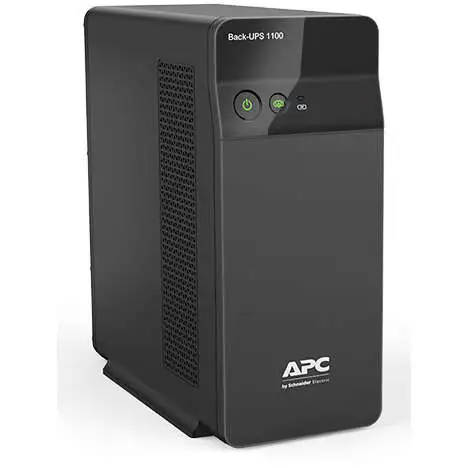
Recognisable units, clear specifications and direct model enquiries. Select a product to review its watt rating, waveform and intended use.
VA indicates apparent power. Watts indicate usable real power output. Both rated limits matter when selecting a UPS. Backup minutes depend on the battery, actual load, age and temperature. Never infer runtime from VA alone.
Match actual device wattage, desired shutdown time, outlet types, replacement-battery service, and whether the connected PSU needs a pure sine wave during battery operation.
Sigma Systems can help review your setup and provide a final product quotation.
A UPS can help keep a desktop running briefly through power interruptions and allow a safe shutdown. The right unit depends on the computer and monitor load, required runtime, power supply behaviour and the electrical environment. Capacity ratings alone do not guarantee minutes of backup.
Identify typical power draw of the CPU unit, monitor and networking gear, plus the time needed to save your work.
Higher-performance computers may need different UPS capacity and waveform characteristics.
For network equipment, check device voltage, total load and appropriate backup solutions.
Ask about battery replacement, installation conditions and expected maintenance requirements.
Send your preferred specifications, budget and quantity. Product availability, current prices and warranty terms are confirmed by the shop before purchase.
These are general buying considerations, not a statement of current stock or specific prices.
Runtime depends on the actual watt load, batteries, UPS efficiency and condition, not just the VA figure.
Some printers, especially laser printers, have high peak loads and should not be connected to certain battery-backed outlets. Follow the UPS manual.
Provide the desktop power supply rating, monitor size, approximate workload and desired backup duration.